CartoStar for
Windows
Your full astrocartography platform — a native desktop app. No browser tabs, no distractions.
Free download for Windows 10 & 11 (64-bit). Prefer the browser? Open CartoStar on the web.
Download the installer
Grab CartoStar-Setup.exe with the button below — it’s a small, free download.
Run the setup
Installs in seconds for your user account — no admin rights required.
Launch from Start
CartoStar opens in its own window and walks you through a quick first-run setup.
Why Install?
Dedicated Window
No browser chrome. A real Windows app with its own window, taskbar icon, and Start menu entry.
Instant Launch
Pin to taskbar or Start menu. One click to open — straight into your globe.
Light & Secure
A lean native app, not a heavy browser bundle. Installs per-user with no admin rights.
Full Feature Parity
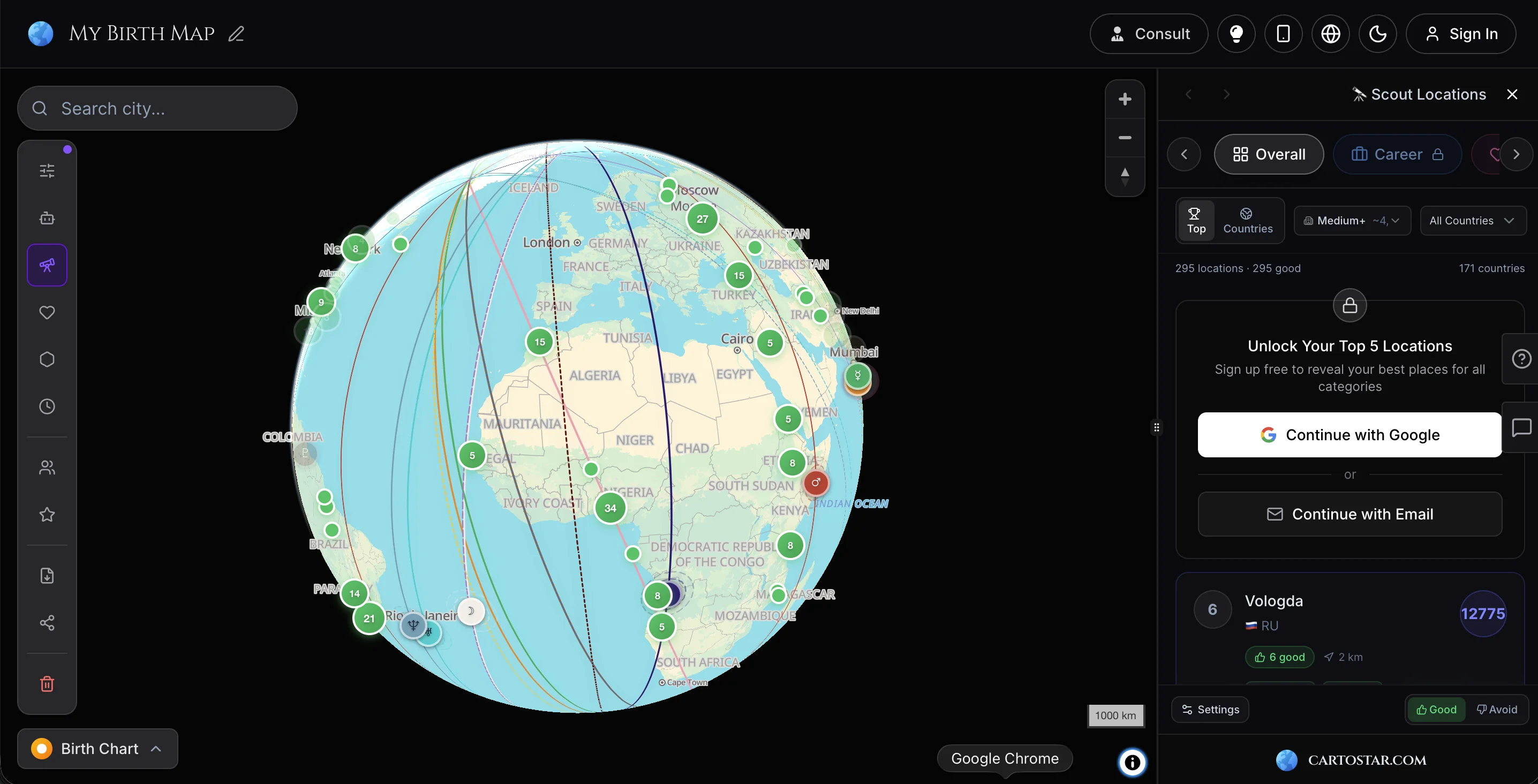
Everything from the web — 3D globe, AI, Scout, Duo Mode — running natively on your PC.
Everything You Need
Map your life path with precision tools.
3D Interactive Globe
Spin and explore your planetary lines in real-time on a beautiful glowing interactive globe.
AI Astrologer
Ask deep questions about your chart and location energies. Powered by advanced LLMs.
Full Planetary Suite
Sun, Moon, Mercury, Venus, Mars, Jupiter, Saturn, Uranus, Neptune, Pluto — all mapped.
Zone Analysis
Draw custom zones to aggregate planetary influences for specific regions.
City Intelligence
Detailed breakdown of weather, flight data, and cultural vibe matching.
Natal Chart Analysis
Deep dive into your personality with Western or Vedic birth chart breakdown.
Local Space LinesComing Soon
Discover how planetary energies manifest in your immediate surroundings.
Duo Compatibility
Compare two charts to find ideal spots where both people thrive.
Relocation Charts
Calculate how your chart changes when you move to a new city.
Find Your Places
Discover where you'd thrive for love, career, creativity, or personal growth.
What People Are Saying
"I relocated to my Jupiter line last year. The opportunities that opened up were exactly what I'd been seeking for years."
"The precision of the calculations gave me confidence in my relocation decision. The AI insights were surprisingly on point."
"A tool that respects the complexity of astrology without oversimplifying. The interface is intuitive and the data is precise."
Common Questions


Ready to Explore?
Download CartoStar on your Windows PC and discover where the stars align for you.